
Tüccar Modu (Merchant Mode)
3View
1Reply

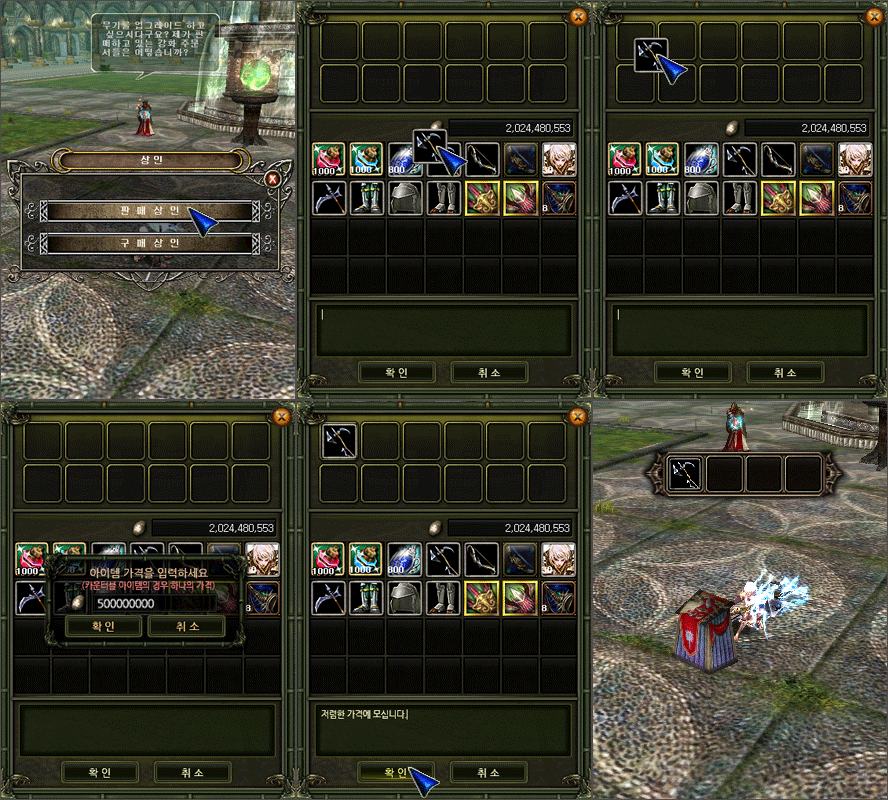
Satış tüccarı
- Sohbet penceresine tüccar komutunu girip satış tüccarı seç.
- Satmak istediğin itemı üstteki satış hücrelerine sürükle ve fiyatını gir.
- Alttaki tanıtım kutusuna reklam metnini yaz, onayla — tezgahın açılır.
Satın alma tüccarı
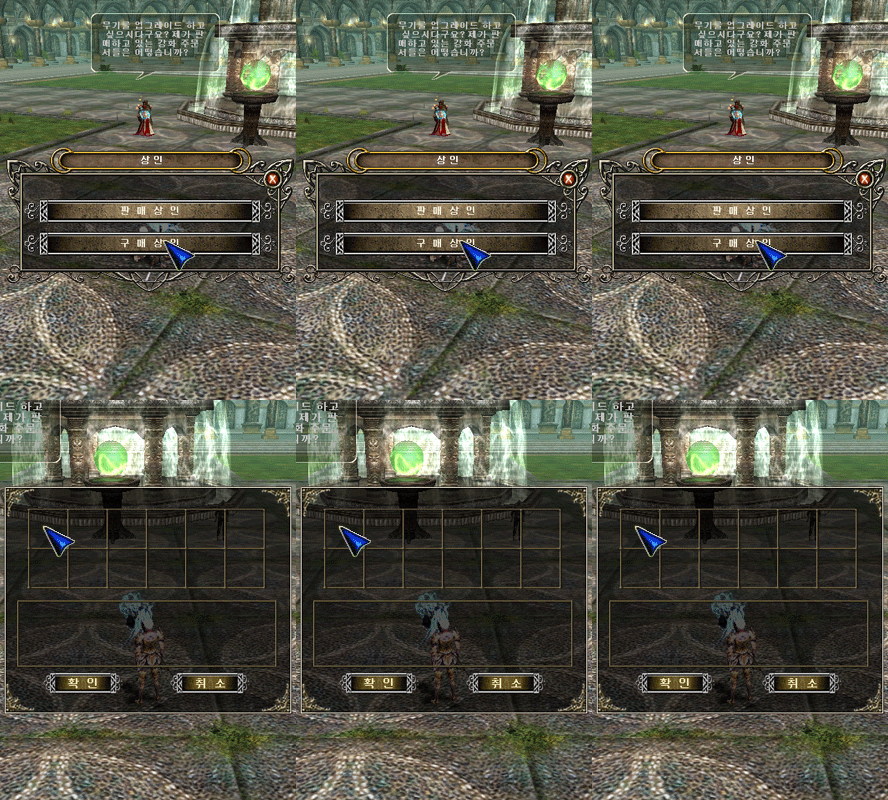
- Tüccar komutuyla satın alma tüccarı seç.
- Boş hücreye tıkla → item arama penceresi açılır.
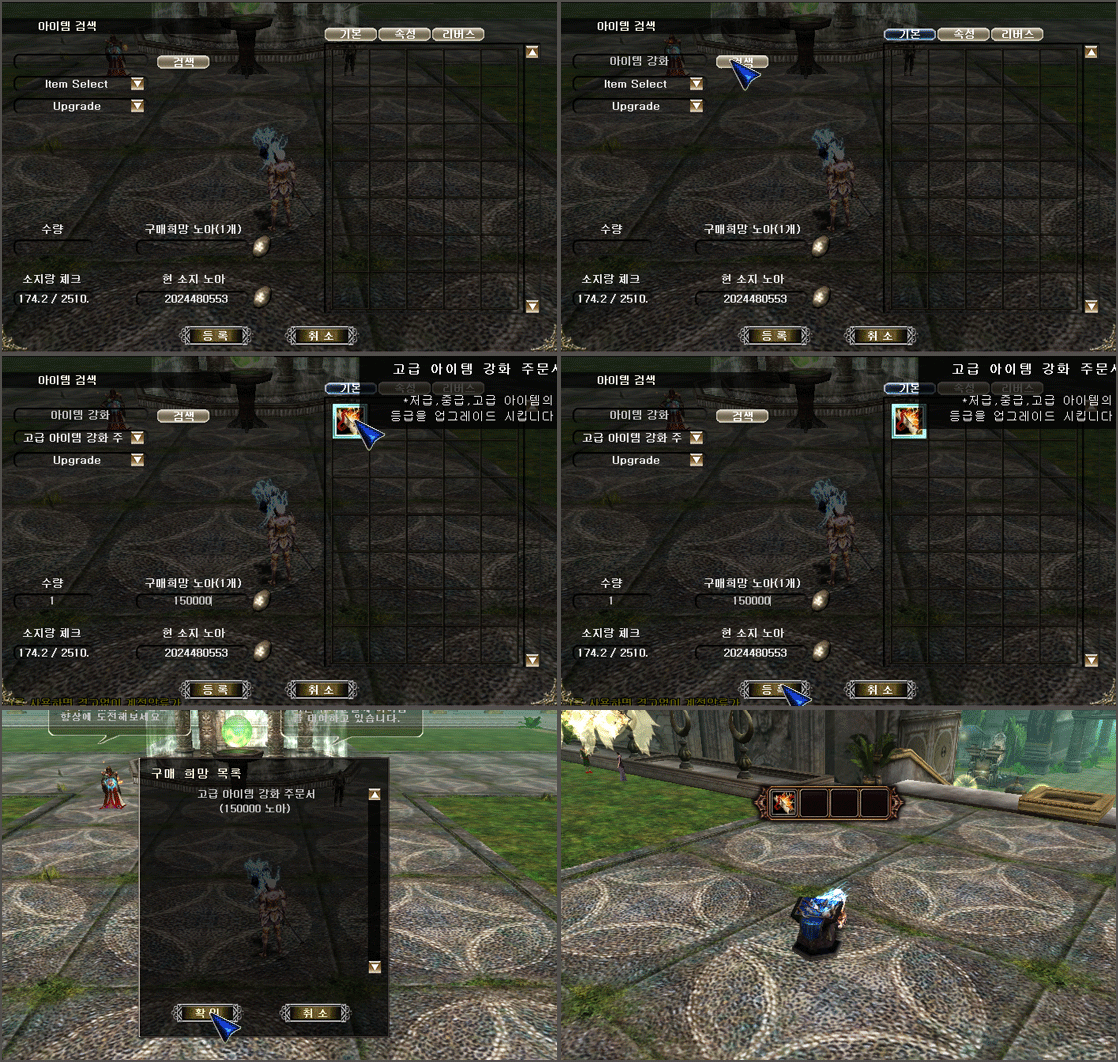
- Item adını, upgrade seviyesini ve miktarını belirle; soldan özellik/reverse durumunu seç.
- Sağdaki item simgesinden tam olarak almak istediğin versiyonu işaretle; miktar ve ödemek istediğin Noah'ı gir (eldeki Noah'tan fazlasını giremezsin), kaydet.
- Reklam metnini yazıp onayla — alım tezgahın açılır.
Selling merchant: run the merchant command, pick sell merchant, drag items into the sale slots, set prices, write an ad line and confirm.
Buying merchant: pick buy merchant, click an empty slot to open item search, choose name/upgrade/quantity and options (including reverse status), select the exact version from the icon list, enter quantity and the Noah you offer (cannot exceed what you carry), then advertise and open.